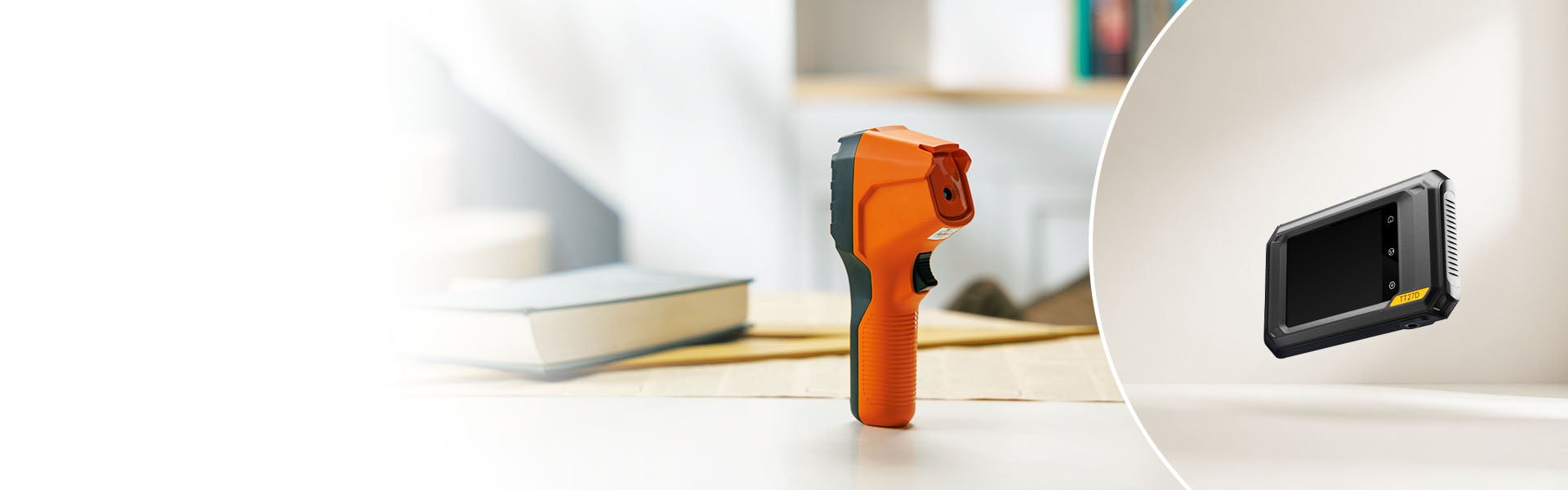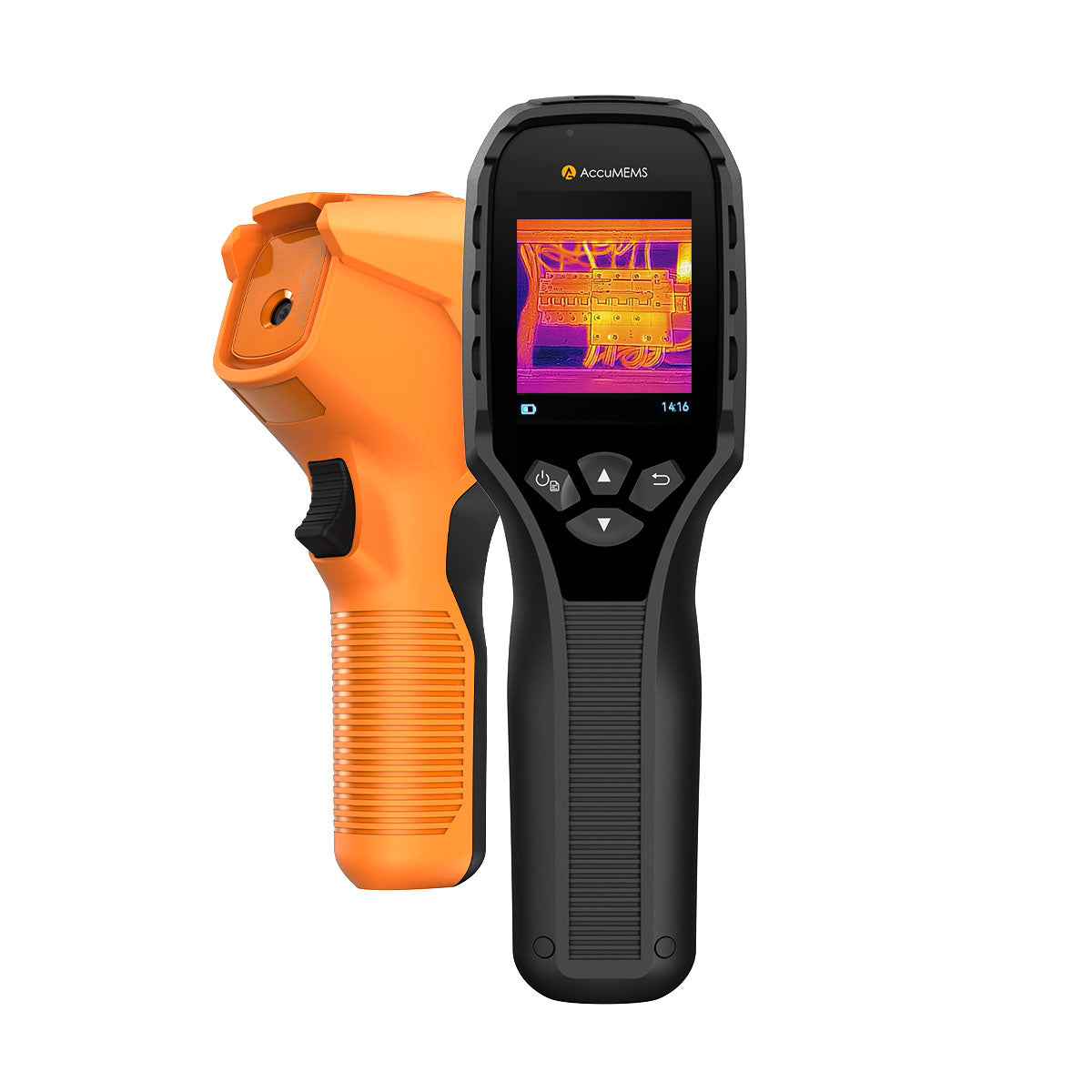
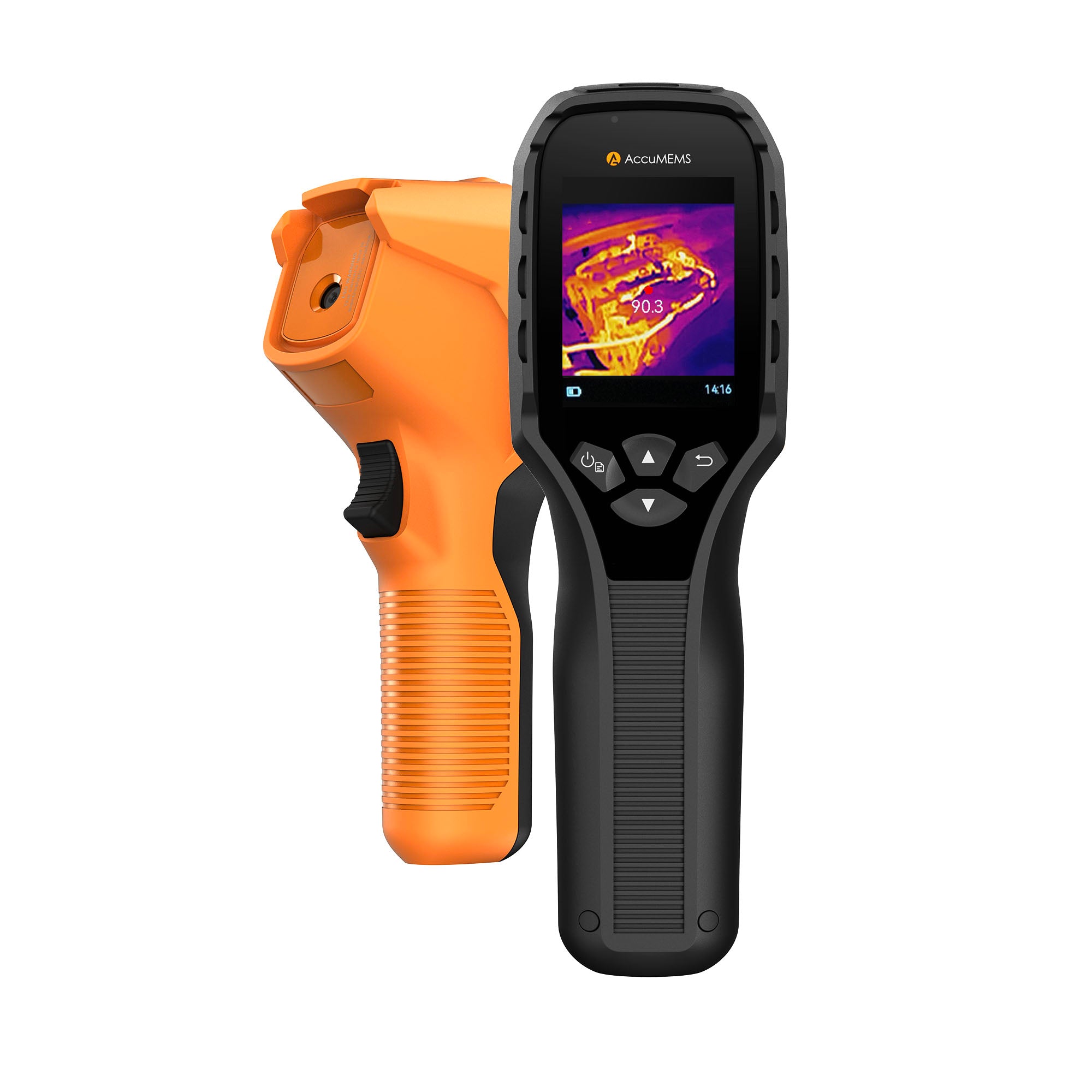
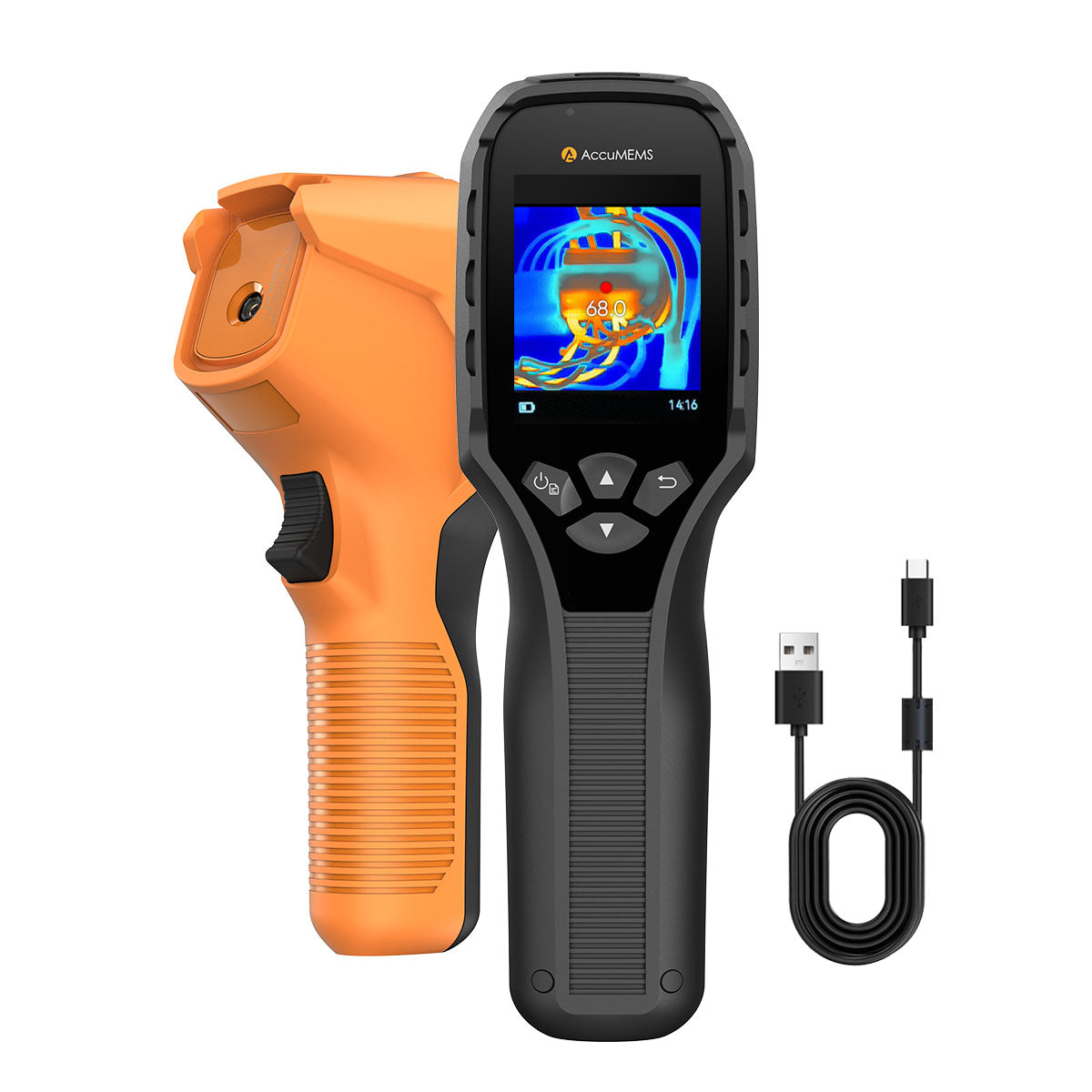





Easy-to-use Features
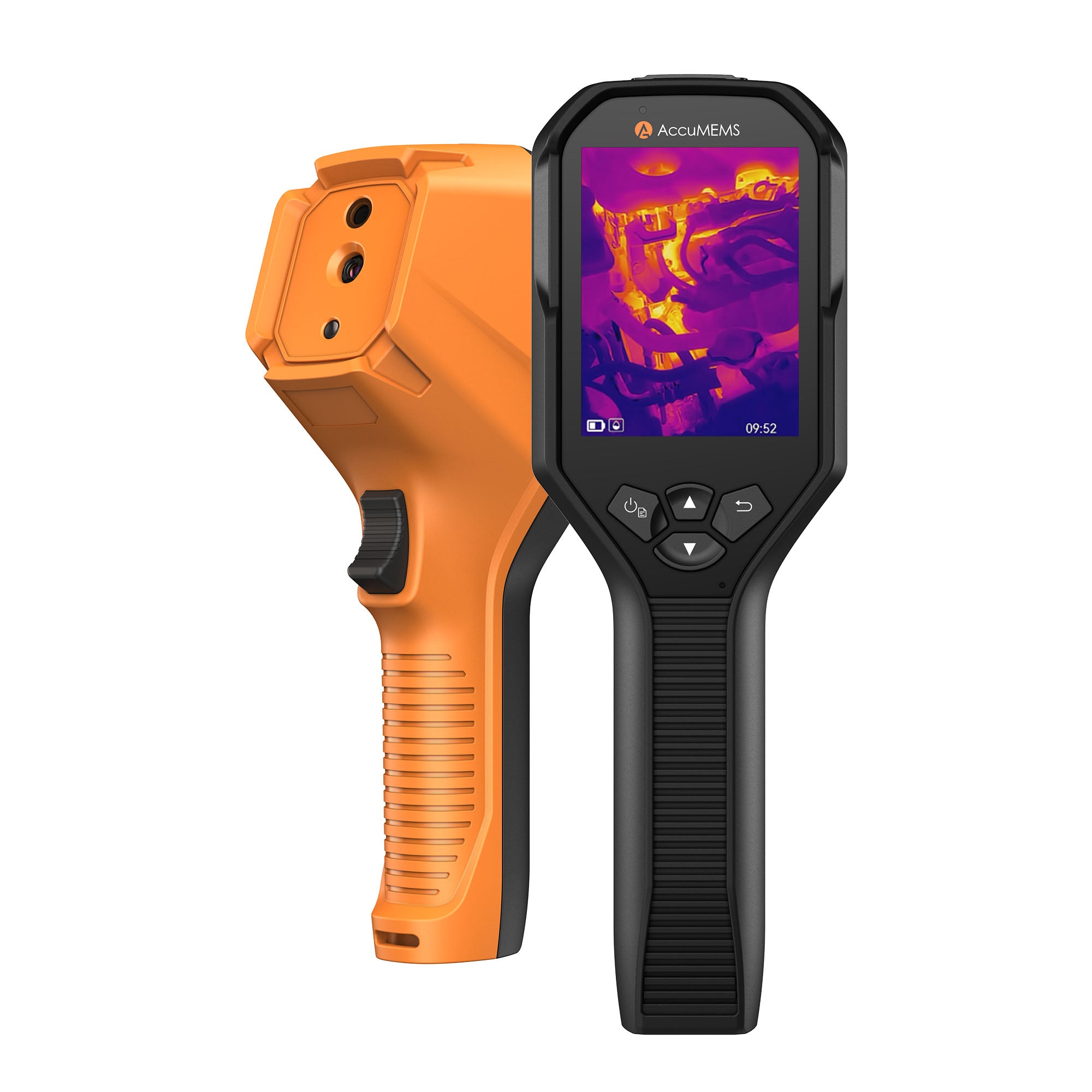
AccuMEMS GT14S
- Ultra-fast imaging for instant temperature detection
- High-precision thermal sensing with ±2°C accuracy
- Clear long-range imaging with multiple measurement modes
- Ultra-fast imaging for instant temperature detection
- High-precision thermal sensing with ±2°C accuracy
- Clear long-range imaging with multiple measurement modes

Enjoy fast and free shipping across the United States, delivering your order directly to your doorstep.

Comprehensive 1-year warranty for reliable protection and worry-free ownership.

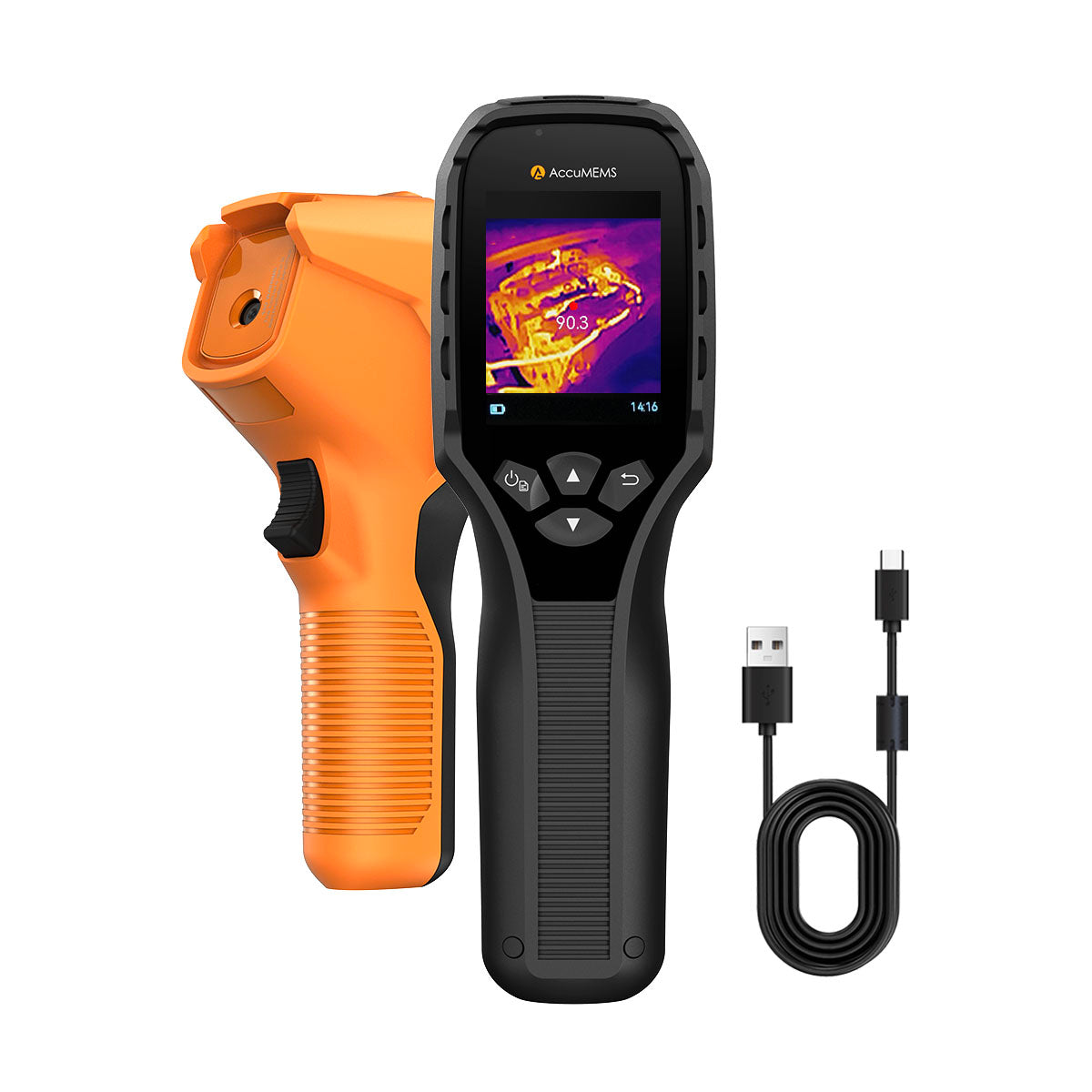
AccuMEMS GT14S
Sale price$149.99
- Overview
- Specs
- Compare
- In the Box
- Reviews
- FAQs

Affordable. Smart. Better Usability.
See More. Know Your Home Better.
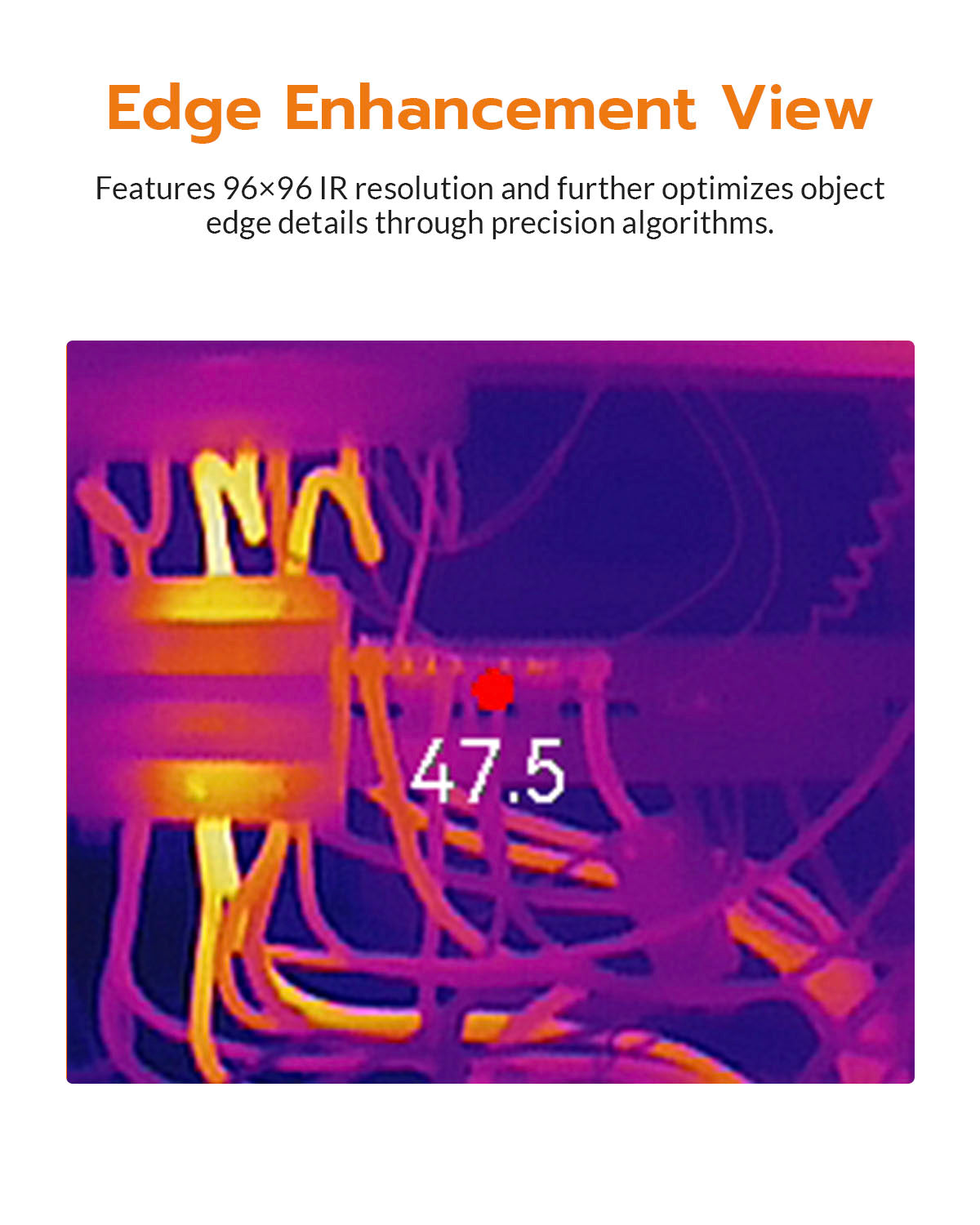
With advanced deep learning algorithms, the themral imaging clarity is upgraded to 240×240.
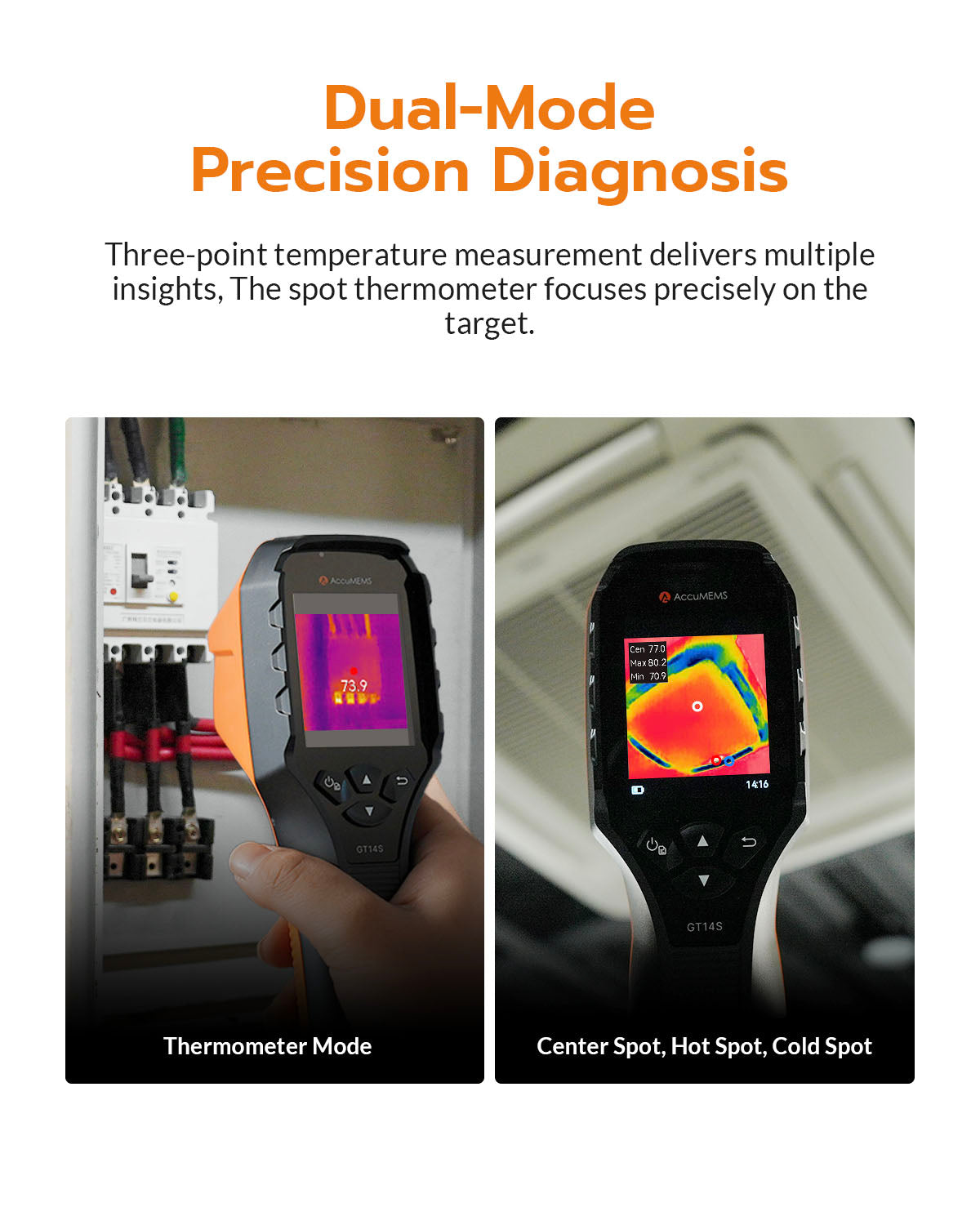
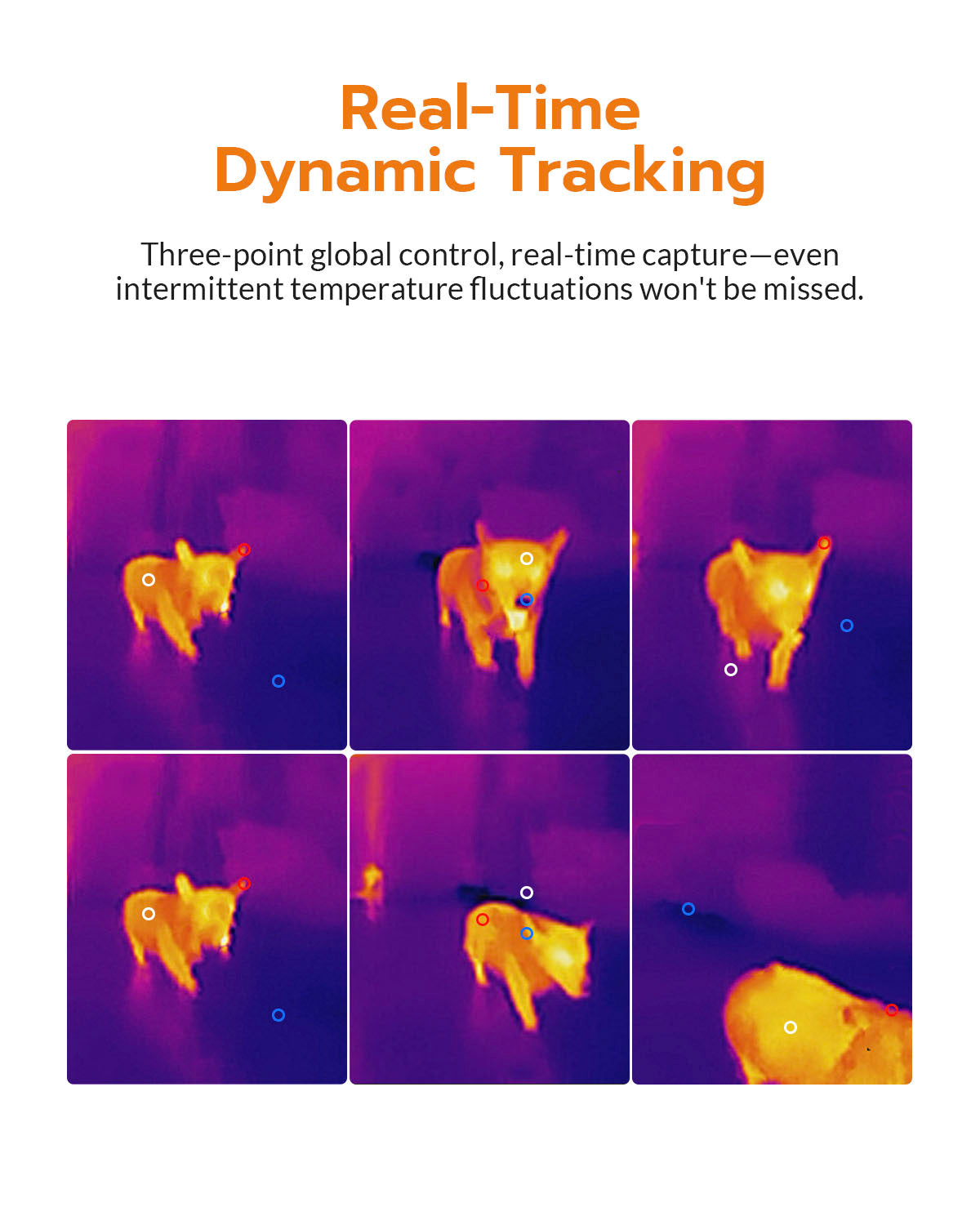
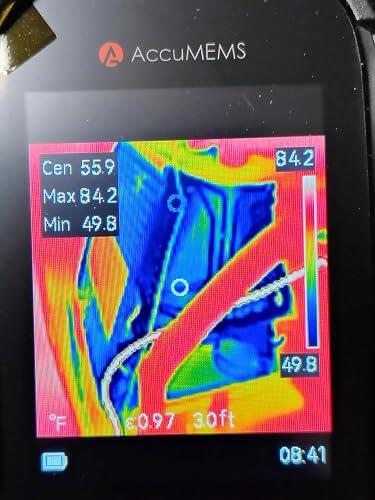
Three-spot temperature measurement provides multiple insights, while the thermometer accurately targets the measurement point.
Precise Temperature Monitoring

50mK NETD
Highly sensitive thermal detection reveals even subtle temperature differences with clarity.

High & Low Temperature Alerts
Quickly identifies abnormal heat signatures and potential hidden hazards.

Adjustable Level & Span
Flexible thermal tuning helps users isolate anomalies within targeted temperature ranges more efficiently.
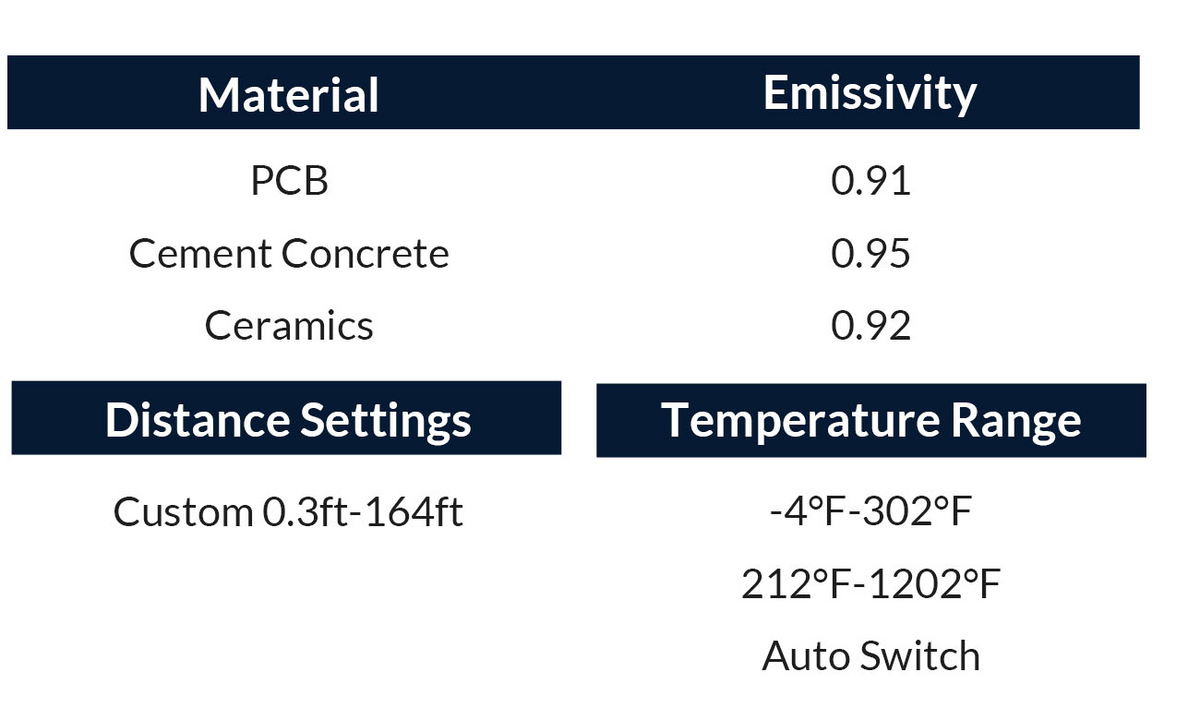
Emissivity Reference
Built-in emissivity references help improve temperature measurement accuracy across different surfaces.
Excellent Imaging Performance

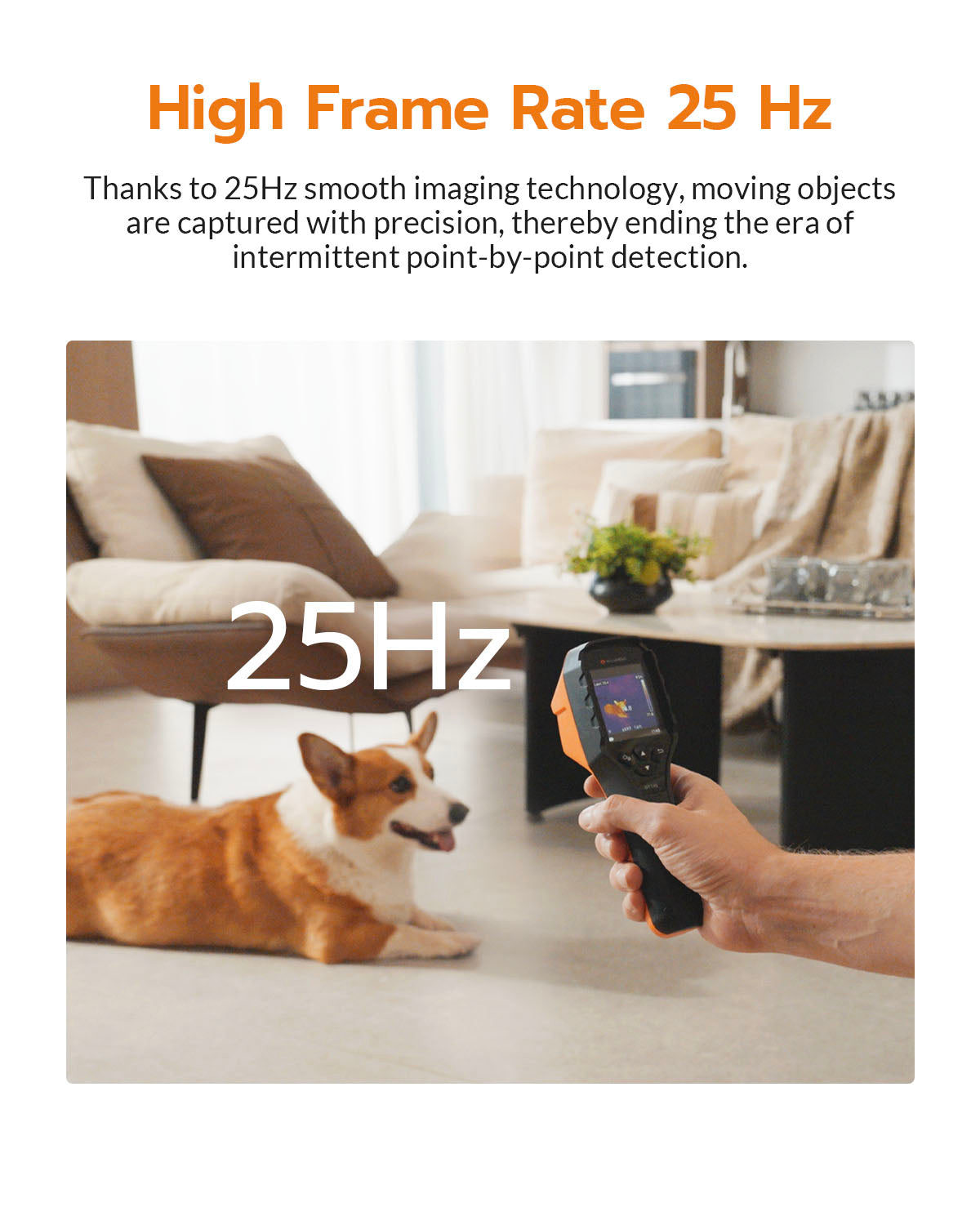
25Hz Smooth Imaging
The 25Hz frame rate offers smooth and precise detection on moving objects.

50° × 50° Wide FOV
A wider view captures more thermal details at a glance.

Dynamic Temperature Tracking
Monitors real-time thermal changes, including brief or fluctuating heat variations.

Multiple Color Palettes
7 selectable palettes adapt to different environments and inspection preferences.

User-Friendly Buttons

High Capacity Battery

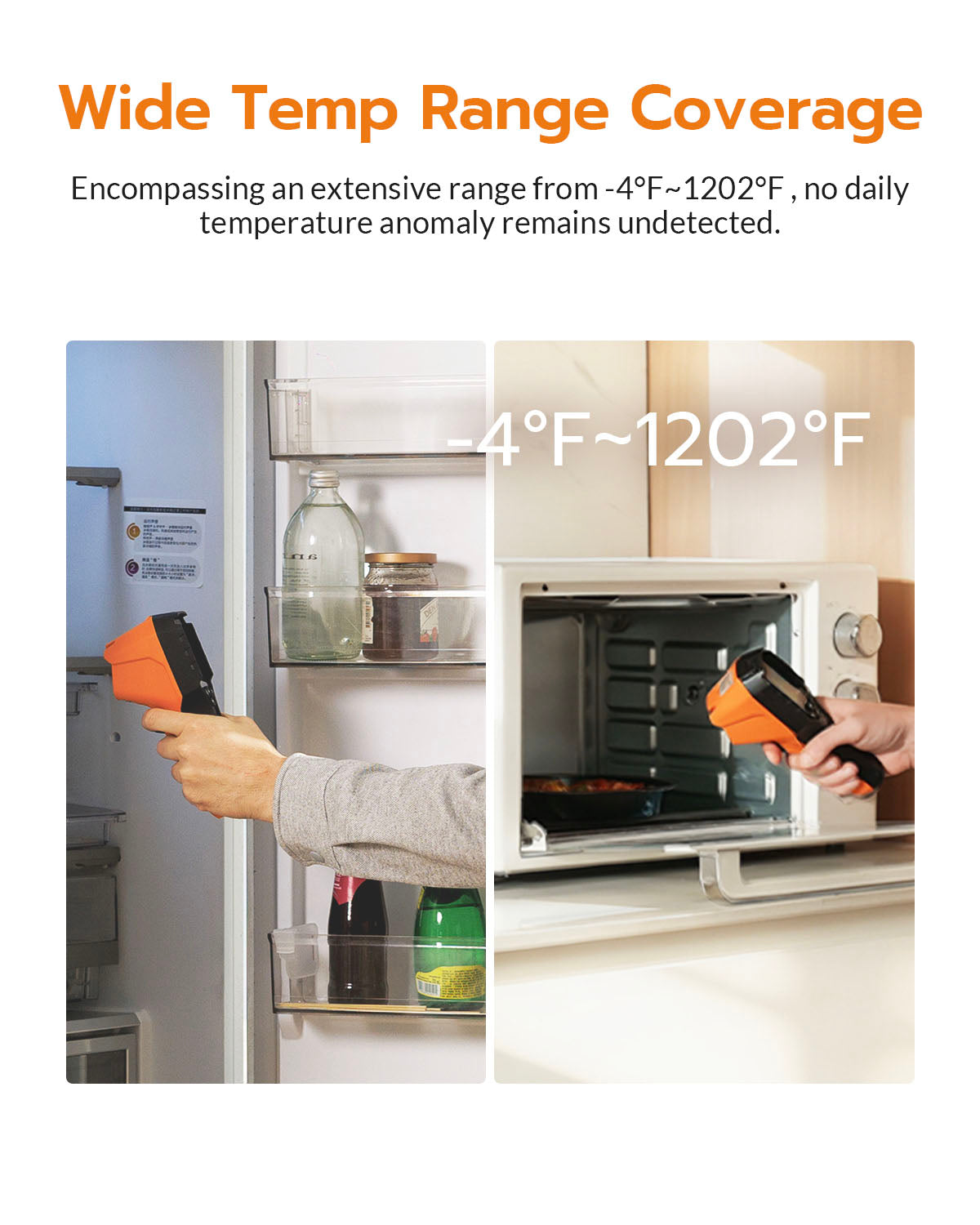
Wide Temperature Range
Specification
-

In The Box


Verified Customer Reviews
Benjamin
Surprisingly capable little thermal imager for the money
I am a thermal process engineer. I use thermal imagers a lot.
I might not be the best thermographer in the world, but I do use thermal imaging in a professional capacity.
As someone who uses thermal imaging professionally in industrial and process engineering applications, I went into this purchase with fairly low expectations. I originally bought one for my brother, who wanted something for home repair and DIY projects. Out of curiosity, I ended up trying it myself, and I have to say I'm genuinely impressed.
For less than $100, this thing is remarkably usable and surprisingly pleasant to use.
My FLIR can measure much higher temperatures, and my FOTRIC is significantly sharper and produces true radiometric images. But the reality is that most people don't need radiometric analysis. Most people just need to find where the heat is.
For home use, automotive work, HVAC, maintenance, troubleshooting, or general curiosity, this thing is a no-brainer.
I was particularly impressed by the floating maximum and minimum temperature indicators. They're simple, but incredibly useful when you're trying to quickly identify hot or cold spots. In some ways, that's more useful to the average user than many of the advanced features found on expensive professional cameras.
I ended up buying another one for my dad, a retired engineer who loves his IR temperature gun. If you're on the fence, just get it. If nothing else, it's a fun little camera that helps you see the world in a completely different way.
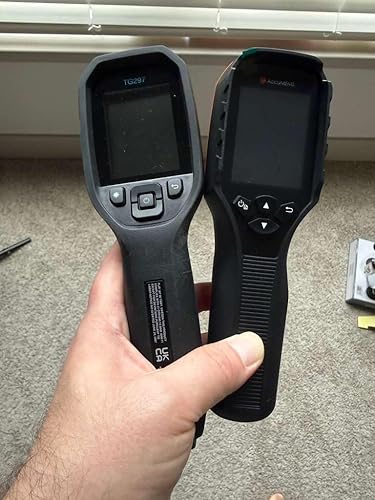
It's about the size of my FLIR TG297. Don't expect miracles or HD-quality thermal images. This is not a $2,000 instrument. But if you're trying to understand how heat is behaving and you're on a budget, it's hard to go wrong here.
The thermal sensitivity is good enough that I can see footprints in carpet after someone walks across it. That's genuinely impressive for a camera at this price point.
One final note: the images appear to be standard JPEGs rather than radiometric files. I examined the files and found no evidence of embedded radiometric data. If you're looking for advanced thermography workflows, report generation, or post-processing in software such as AnalyzIR, you'll want a more advanced camera. If you're looking for a practical, affordable thermal imager that actually works, this is an easy recommendation.
Less than $100 for a tool this useful is honestly kind of crazy.
The attached photos show it next to my FLIR TG297 and FOTRIC TK6 for size comparison.
AccuMEMS GT14S
Trevor
Brilliant device, very accurate
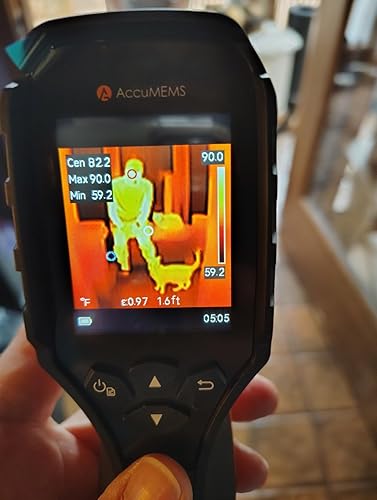
This thermal imaging camera is a brilliant portable tool that allows me to take temperature readings anywhere. The temperatures displays in real time contours on the screen with an auto-calibrating temperature scale. I can fix the range if desired, there is a lot of flexibility in the settings to allow for more precise measurement. For example, I can also specify the emissivity to boost the accuracy. They conveniently provide a list of materials or I can specify my own. The operation is similar to a radar gun in that I point at the object, squeeze the trigger and it snaps an image of the temperature field, complete with the temperature scale. These images can be exported easily for deeper analysis. The temperature display range that it is able to detect is impressive, ranging from -4degF to 1022degF. It’s super handy for many different things, from detecting leaks to diagnosing problems with something like my kiln elements. The device is ultra portable and has a long run time. It is really user friendly. In basic operation just power it on and point the sensor where you want to measure. Press the trigger to capture an image. These images can be reviewed on the screen or exported to a PC. It’s a great tool and accurate as well!
AccuMEMS GT14S
s
Great device, but it NEEDS A CASE and a lanyard mount
I love this camera. The reason for the 4 star review instead of 5 is because it really should include a case. A mounting point for a lanyard would also be a welcome addition.
Aside from those oversights, it seems very accurate and includes several visual schemes to allow the user to perform heat analysis. The ability to capture photos works nicely.
All in all, Im pleased with my purchase and am enjoying the device. It is easy to use and intuitive. BUT IT REALLY NEEDS TO INCLUDE A CASE.
AccuMEMS GT14S
Jeffrey Jones
Found a nagging parasitic leak!
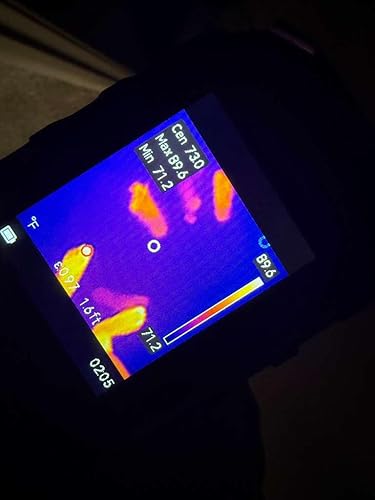
This thermal camera helped me, after years of having to trickle charge my VW Beetle convertible nightly due to a parasitic drain, locate the issue. I had tried reading milliamp current at the fuses, removing fuses and loads, to no avail. So I bought this thermal camera and started looking at all the fuses. No abnormal temps were seen. I was about to throw in the towel and was sitting behind the wheel and just for “fun”, aimed the thermal camera at the dash. Nothing. Then swung right to the Monsoon brand radio. It was showing HOT in the camera. I disconnected the radio. Left the car overnight with no trickle charger attached. Next day, battery charge was still at almost full charge. Just installed a new Pioneer receiver from Crutchfield and life is good again. Thank you, AccuMEMS for the GT14S!!
AccuMEMS GT14S
FAQs
What’s the difference between Handheld, Pocket, and Plug-in Series?
The main difference between our Handheld, Pocket, and Plug-in Series is the product design and usage experience. All of them use infrared thermal sensors, but they are integrated into different form factors to meet different application needs.
- Handheld Series: Designed for professional inspection and field applications, offering a comfortable grip and convenient operation.
- Pocket Series: Compact and portable, ideal for users who need a lightweight thermal camera that can be carried anywhere.
- Plug-in Series: Designed to work with smartphones, providing a simple and flexible thermal imaging solution.
The choice mainly depends on your preferred form factor, working environment, and application scenario. Each series provides reliable thermal imaging performance with different levels of portability and convenience.
What can thermal imaging cameras detect?
Thermal imaging cameras can detect temperature differences on the surface of objects, making them useful in many professional and daily applications.
Common applications include:
- Electrical inspection: Detect overheating components, loose connections, and abnormal heat patterns.
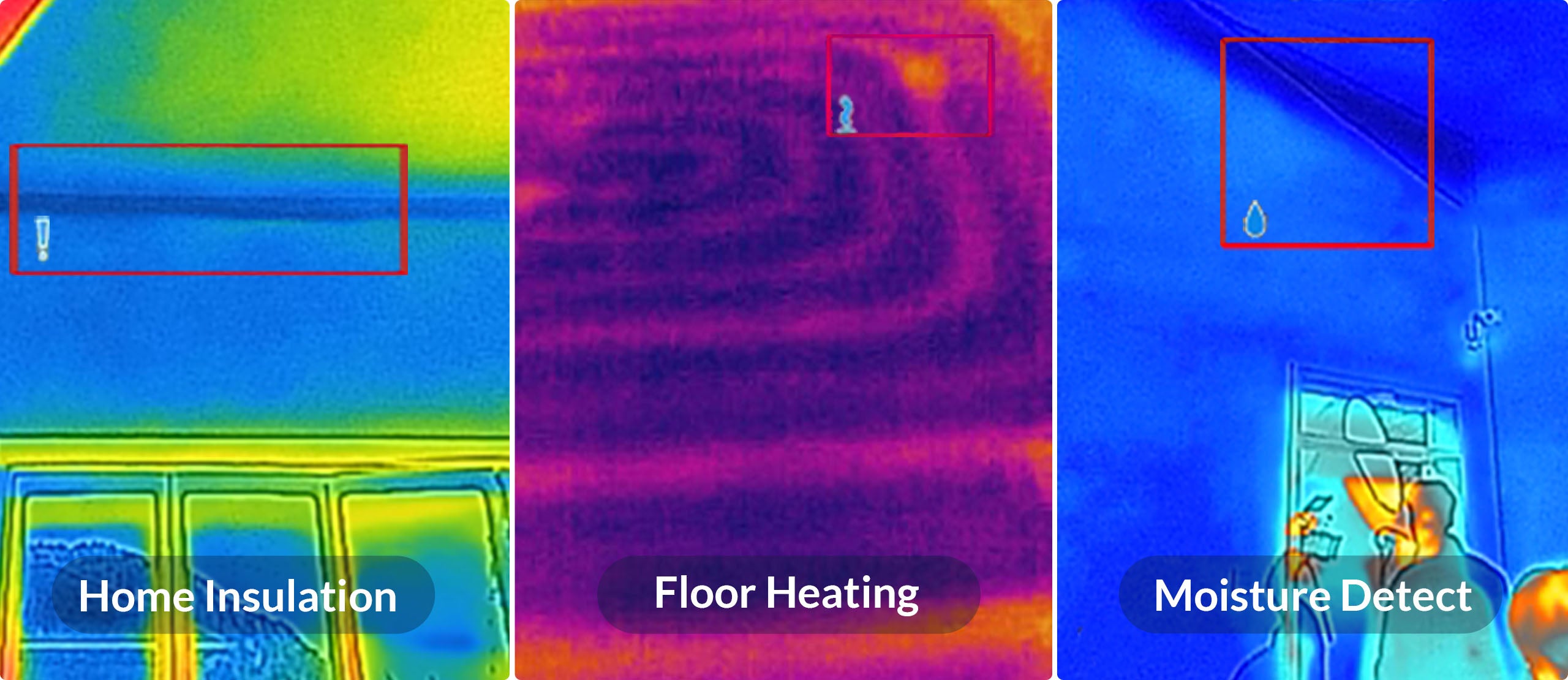
- HVAC inspection: Check air conditioning systems, heating systems, insulation performance, and energy loss.
- Home inspection: Identify insulation problems, air leakage, moisture issues, and abnormal temperature areas.
- Automotive diagnostics: Detect engine overheating, battery temperature differences, and mechanical issues.
- Electronics inspection: Analyze heat distribution of circuit boards and electronic components.
- DIY projects: Assist with home maintenance, renovation, and troubleshooting.
The actual detection capability depends on the thermal sensor resolution, temperature accuracy, and your specific application requirements.
Can thermal cameras detect water leaks?
Yes, thermal imaging can assist in detecting potential water leak areas.
Water leakage often causes temperature changes on surrounding surfaces due to evaporation, moisture accumulation, or differences in thermal conductivity. A thermal camera can visualize these temperature variations and help locate areas that require further inspection.
Please note that thermal cameras detect temperature differences caused by moisture, not the water itself. For accurate diagnosis, additional inspection methods may sometimes be required.
Can this product detect air leaks around windows and doors?
Yes. Thermal cameras can help identify air leakage around windows, doors, and building structures.
When outside air enters through gaps or poor insulation areas, it creates temperature differences on the surface. These abnormal temperature patterns can be captured by a thermal imaging camera, helping you locate potential leakage points.
Can The Thermal Imager Penetrate Walls or Floors?
No. Thermal imagers cannot penetrate walls or floors like X-ray machines. They can only detect heat emitted from the surface of an object. However, in certain cases, the thermal imager can detect anomalies inside walls or floors, such as water pipe leakage or heat loss due to poor insulation. This is because the thermal imager can capture the heat conducted to the surface of the wall or floor. If the pipe has no contact with the wall or ground, the temperature cannot be conducted, and the thermal imager cannot detect it.
How to take clear thermal Imaging Pictures?
Principle
The temperature distribution on the thermal
image is based on the color of the image. The temperature range in the picture
affects the image effect.
Method
1. When the actual temperature difference of the target in the image is
higher than 10 °C or 20 °C, the thermal effect is most obvious, which helps to
highlight the subtle temperature difference.
2. When the temperature difference of the target in the image is small,
you can manually adjust the temperature range of the whole picture to increase
the contrast of the target.
3. It is recommended that the distance between the imager and the
target should be within 2 meters (about 6.56 feet). Adjust the distance to
ensure clear focus, especially for small targets.
4. Enable Picture-In-Picture or Fusion Pattern to add visual details
(if applicable).
5. Select an appropriate pallet for the scene to get an image with high
contrast.
How accurate is the temperature measurement?
The temperature accuracy depends on the specific model, measurement distance, environmental conditions, and surface characteristics.
For best results:
- Keep an appropriate distance from the target.
- Avoid measuring through reflective surfaces.
- Adjust emissivity settings when necessary.
- Consider environmental factors such as airflow and surrounding temperature.
How to Test The Accuracy of The Devices?
Tips
1. Pour crushed ice and water into the cup, and turn on the imager.
2. Mix the solution and let it stand for a few minutes.
3. Set the imager's emissivity to 0.95 and adjust the distance.
4. Point the imager at the solution to measure its temperature. To get
the best effect, please measure the temperature of water surface and avoid
measuring cup wall. The reading should be close to the freezing point (0 °C /
32 °F) and within the precision range.
Does the material of an object affect thermal measurement?
Yes.
Different materials have different emissivity values, which affect how infrared radiation is emitted and measured.
For more accurate temperature measurements, the emissivity setting may need to be adjusted depending on the surface material. Materials such as metal, plastic, glass, and painted surfaces may require different settings for optimal results.
Our customer support is available Monday to Friday: 8am-8:30pm.Average answer time: 24h
Unlock Your First Order Discount
Subscribe to receive exclusive offers, product updates, and special savings on your first purchase